When you need to share your mail with other users, other users will be able to assist with your mail.
First of all, the administrator must give users access to mailbox sharing
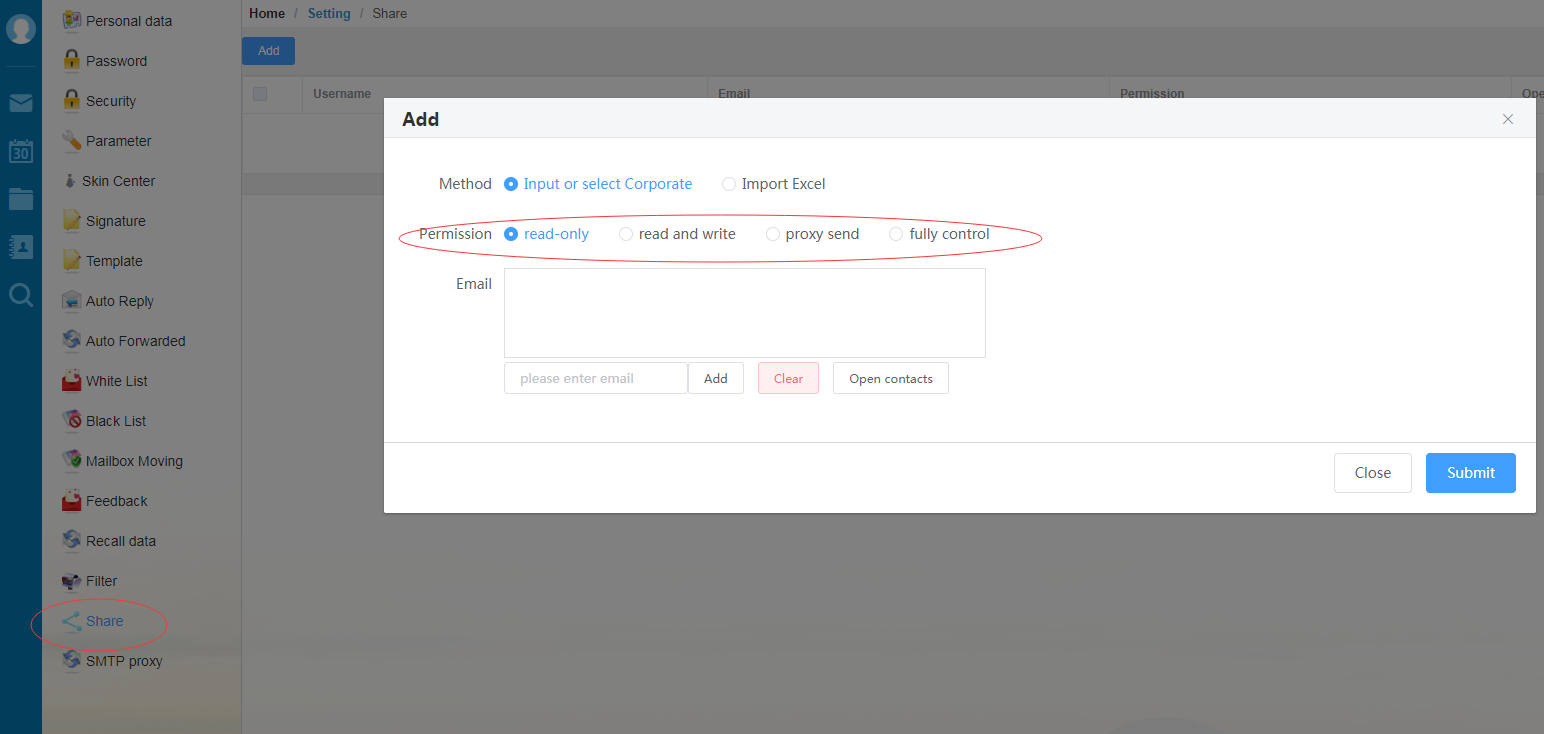
Enter mailbox "Setting" - "Share" to add the user's mailbox address and set corresponding permissions for mailbox sharing.
You can set the permissions for other users to handle your messages: read-only, read and write, proxy send, fully control. default is read-only.
Read-only: Only the Shared messages can be viewed and nothing can be done.
Read and Write: You can view the Shared mailbox; You can use the authorized person's account to send messages; Can change the unread state of the message; Delete messages.
Proxy Send: You can view the Shared mailbox; May send letters on behalf of the authorized person; Cannot change the unread state of the message; Do not delete messages.
Fully control: All permissions of the authorized person's account can be used.
Close